
Early Vendor Advantage
26
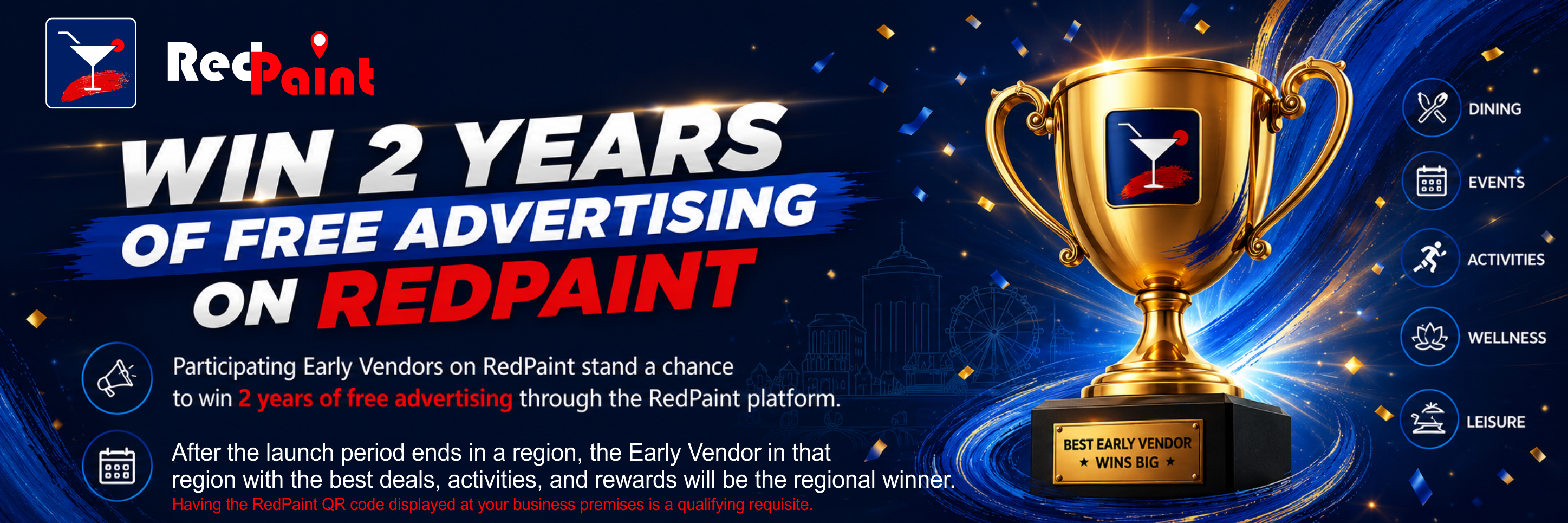
LIMITED OPPORTUNITY
ADVANTAGE
SECURE AN EARLY VENDOR ADVANTAGE
Create a Business Account now to qualify for these Exclusive Benefits.
Scan for Apple and Android devices.


THINK BIG
WINNERS
QUICK SETUP GUIDE
READY?
-
Business Profile Setup Guide
Set Up Your RedPaint Business Profile
Signing up as a RedPaint Vendor and setting up your business profile is quick and straightforward. In most cases, it should take about 20 minutes if you have your business information and images ready.Quick Setup Overview
1. Download RedPaint
Estimated time: 1 minuteScan the QR code or tap the relevant app store button on this page to download the RedPaint app.
2. Sign Up
Estimated time: 3 minutesCreate your RedPaint account and confirm your email address using the OTP sent to the email address you used to sign up.
3. Set Up Your Business Profile
Estimated time: 10–15 minutesFollow the easy in-app steps to add your business information, including:
- - Trading name
- - Email address
- - Phone number
- - Business hours
- - Business location/address
- - Business photos
- - Food menu
- - Drinks menu
- - Pricelist
- - Business description — up to 2,000 characters
- - Business categories selected from dropdown lists
Have These Ready Before You Start
To make the setup process faster, save the following on your device before creating your profile:
- Business description (2000 characters)
- Photos (see the table here below)Item Recommended Format Upload Limit Business photos — venue, activities, food, facilities, atmosphere, etc. Landscape JPG, JPEG, or PNG Up to 35 photos Food menu Portrait JPG, JPEG, or PNG Up to 15 images Drinks menu Portrait JPG, JPEG, or PNG Up to 10 images Pricelist Portrait JPG, JPEG, or PNG Up to 6 images
Helpful Tip for PDF Menus or Pricelists
If your menu or pricelist is only available in PDF format, open it on your phone, zoom in where necessary, and take screenshots of each page or section.Save the screenshots to your gallery as individual images. You can then upload them directly during profile setup.
Submit Your Profile for Review
On the final setup page, tap SUBMIT.Your profile will then be reviewed by RedPaint moderation. This normally takes under 2 hours. Once moderation is complete, you will receive the outcome by email and Push Notification.
What You Can Do After Your Profile Is Approved
Once your business profile is approved, you can access your Vendor Dashboard and start creating:- - Special Offers
- - Events and activities
- - Rewards
- - Gifts
- - Banner adverts
- - Promotional campaigns for Specials and Events
- - You can also schedule campaigns to be sent by Push Notification to a selected target audience.
-
Creating a Special Offer Campaign
How to Create a Special Offer Campaign on RedPaint
Creating a Special Offer campaign on RedPaint is quick and easy. It happens in two simple stages.1- Create and submit your Special Offer for moderation. You will receive the moderation outcome by email and Push Notification. Approval normally takes under 2 hours.
2- Once approved, you can either publish your special for free on your vendor profile or promote it through an Instant Boost or Scheduled Boost campaign.
Step-by-Step Guide
RedPaint's workflow is quick and easy to follow without any instruction. Nonetheless, we have prepared a detailed guide to help you create and publish your first Special Offer campaign with confidence.Please see the attached guide (it only looks complicated, but is actually very straight forward):
-
Creating an Event/Activity Campaign
Creating and running Events/Activity campaigns is very similar to creating a Special Offer.
From your Dashboard, go to: Campaigns & Reports -> Create a New Event
Then follow the easy steps to create and submit your Event/Activity for moderation. Once approved, from your Dashboard go to: Campaign & Reports -> Run a Campaign -> Events.Then, choose an Event/Activity from the list of approved Events/Activities and follow the easy steps to either Free Publish it, or to run an Instant Boost or Scheduled Boost campaign.
-
Manage Your Rewards Program
A UNIQUE REWARDS PROGRAM THAT WORKS FOR BOTH VENDORS AND USERS
RedPaint’s Rewards Program is designed to help businesses increase campaign reach, attract customer visits, and encourage purchases - without requiring users to spend money before they can start earning loyalty points.Users earn loyalty points by sharing participating vendors’ Specials, Events, Activities, Rewards, and other content with their own contacts. When someone engages with the shared content, the user can earn points that accumulate towards rewards offered by the vendor.
Once a user has earned enough points, they can redeem an available reward at the vendor’s place of business when making a purchase. This gives vendors a powerful double benefit: customers help expand the business’s reach through word-of-mouth sharing, while the rewards encourage them to visit, make a purchase, and engage with the business directly.
Vendors remain fully in control of their own rewards. From the Vendor Dashboard, you can quickly:
- Create and publish rewards for free.
- Decide what each reward includes.
- Set the number of loyalty points required to redeem it.
- Add any applicable conditions.
- Pause, update, or remove rewards when necessary.
- RedPaint also provides clear redemption reports, allowing vendors to view reward activity and reconcile redeemed items against their stock, services, or internal records.
Publishing a reward is free. Vendors choose what to offer - such as a product, service, discount, or free entry - and set the loyalty points required to claim it. RedPaint tracks users’ point balances and deducts the points when a reward is redeemed.
-
Not a business? Sign up as a User
Don’t Miss Out on Great Deals and Good Times
Download RedPaint today and sign up for free.Discover great deals, special offers, events, activities, and things to do near you — all in one easy-to-use app. No more wondering what’s happening around you, and no more reason for FOMO.
While enjoying the app, you can also earn reward points by sharing exciting deals and offers with friends, family, and colleagues on WhatsApp, social media, email, or any other platform. When your shared links help others discover RedPaint content, you can earn points and redeem them for amazing freebies and rewards at participating businesses. Ts&Cs apply.
We are just getting started, and there is much more to come.
Download RedPaint, explore what’s around you, and enjoy the ride!
-
Earn as a Moderator
Interested in Earning Income on RedPaint?
After signing up as a RedPaint user, you can apply to become a moderator for free.As a moderator, you can earn money by reviewing vendor content before it is published on RedPaint. Moderation tasks are sent to you by Push Notification, and the entire review process is completed quickly and easily from within the RedPaint app. You can do this directly from your phone, spending as little as 15–30 minutes per day, depending on the amount of content available for moderation.
You can also increase your earning potential by inviting businesses to join RedPaint from within the app. When a business you invited joins RedPaint, that business is assigned to your moderator account. Their content may then be sent to you for moderation, giving you the opportunity to earn 7% of that vendor’s RedPaint spend.
To learn more or apply, tap the BECOME A MODERATOR button at the bottom of your in-app menu.
DELETE MY ACCOUNT
If you already have an account on the RedPaint app, you can delete your account directly from within the app, which will automatically remove all your information from our database.
Alternatively, you can fill out the form below to request RedPaint to do it for you.
We're sorry to see you go. If you still wish to proceed, please fill out the form to request the deletion of your account. We will remove all your information from our database.
 |